
If you’re looking to streamline your social media efforts, this guide will help you set up your Sociosight account and get familiar with the platform. This document focuses on creating your account and giving you a basic overview of the dashboard, where you’ll find all the essential tools needed to manage your social media presence effectively.
For info on how your business or agency can benefit from Sociosight, refer to our previous documentation: Social Media Content Management Software.
Let’s get started by setting up your account and exploring the powerful tools Sociosight offers!
How to Sign Up and Sign In to Sociosight #
You can easily register or sign up for the Sociosight App using your email account or your Google account. Follow the instructions below, or watch the video tutorial for detailed guidance.

Steps to Register and Log In Using Your Google Account #
[1] Open the Sociosight App: Go to https://app.sociosight.co in your web browser.
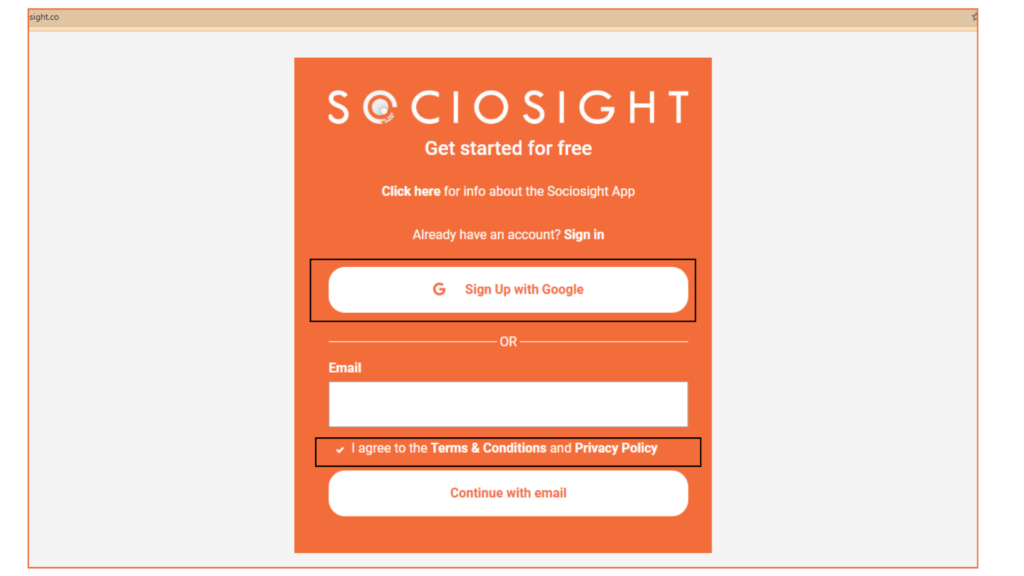
[2] Before signing up, take a moment to review the “Terms & Conditions” and “Privacy Policy” by clicking the links provided on the registration page.
[3] After reviewing, check the box that says “I agree to the Terms & Conditions and Privacy Policy” to proceed.
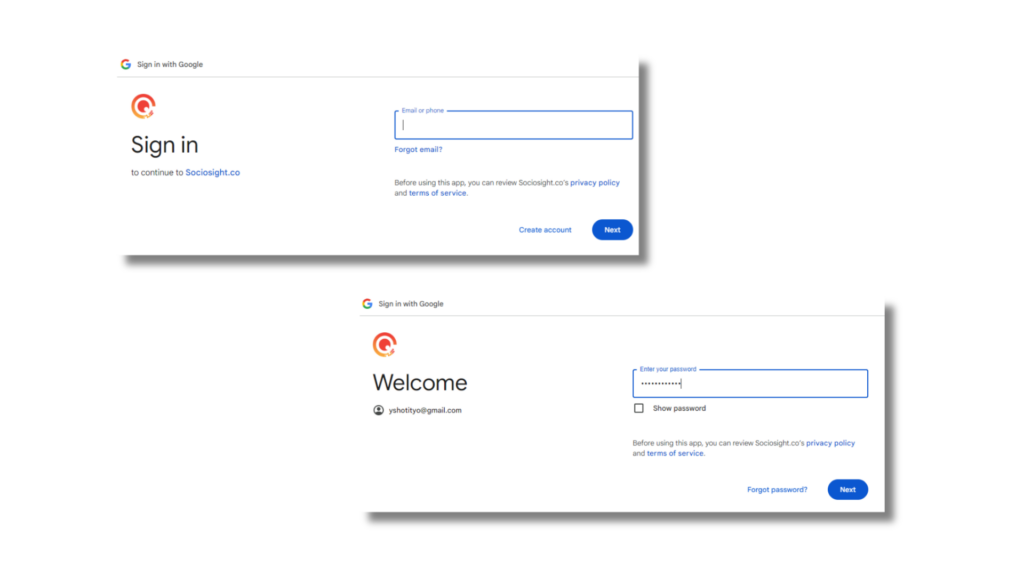
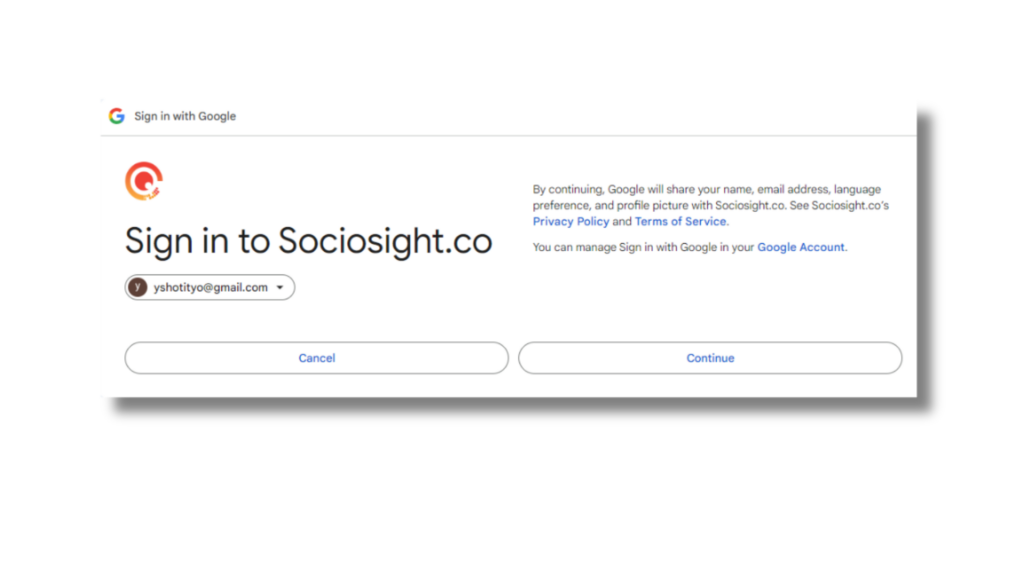
[4] Click the “Sign up with Google” button. You will be redirected to Google to authorize your account and then automatically logged into the Sociosight App. The Google authorization process may instruct you to enter your Google email address and password.
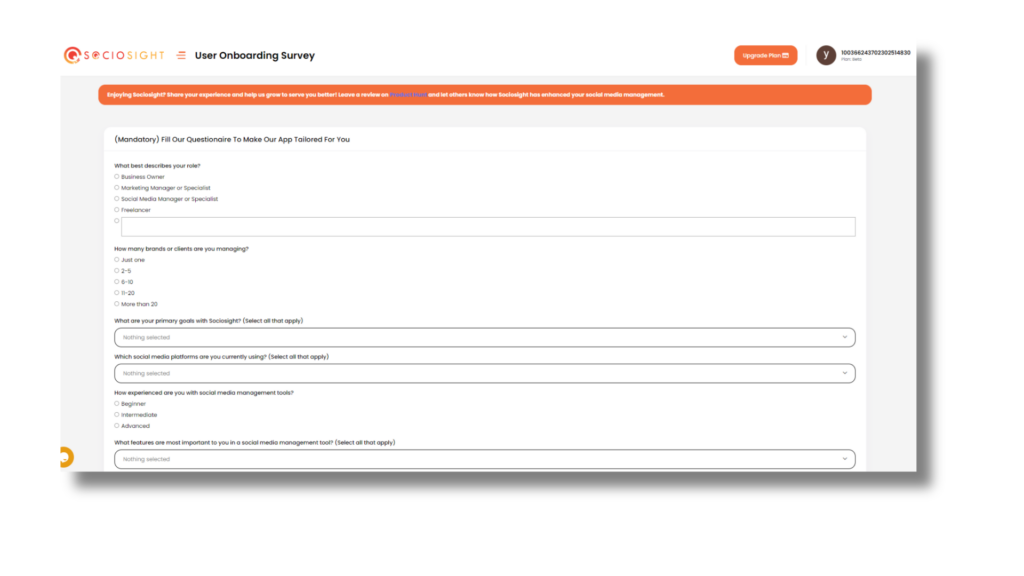
[5] After logging in, you’ll be prompted to complete a quick onboarding survey. This helps us tailor the platform to your needs.
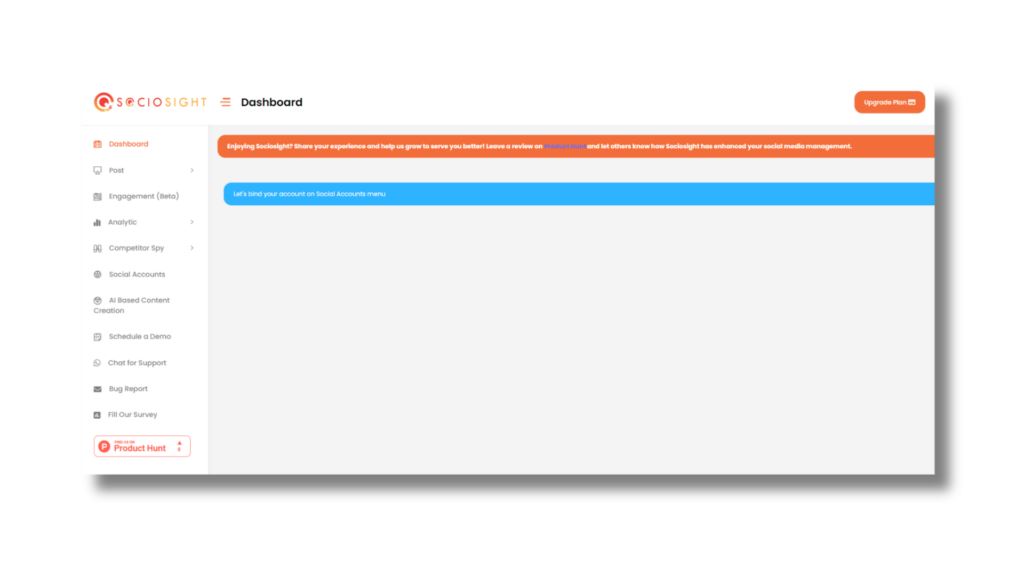
[6] Once the survey is complete, you’ll be directed to the Sociosight Dashboard. You can start using the Sociosight by binding your social media profiles to the Sociosight App. Please read the documentation here for the binding process.
Do you struggle with managing multiple social media platforms for your brand's presence?
The Sociosight app can help you simplify the process and save you time. With Sociosight, you can publish, schedule, and monitor posts and engage with your followers across multiple social media platforms, all from one dashboard.
Get started today with a free sign-up!
Register Now for Free

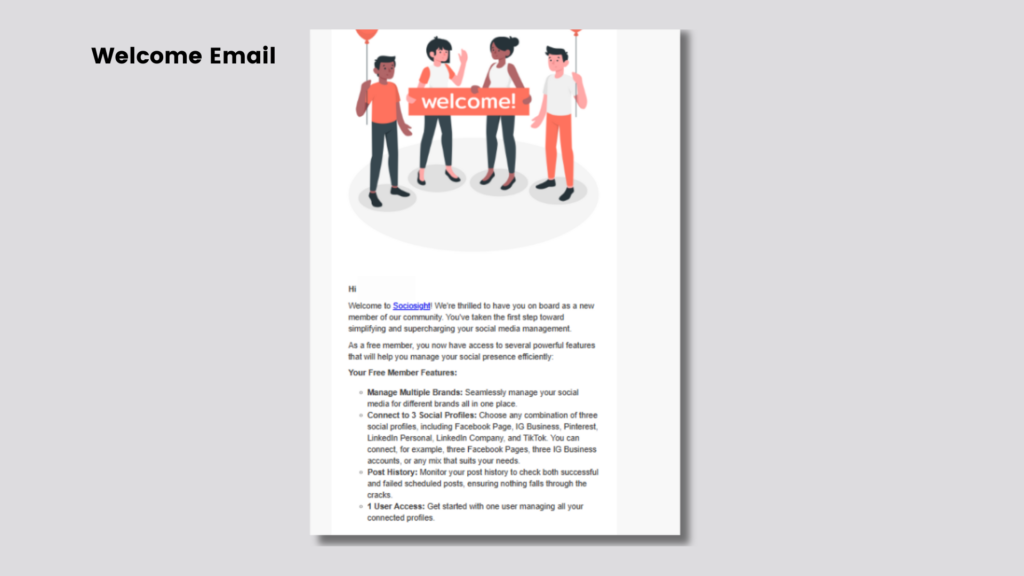
[7 ] Finally, check the inbox of the email used during registration for a welcome email. This email will include helpful tips and a guide on how to get started with Sociosight.
Sign up using email #
To get started with Sociosight using your email, follow these simple steps:
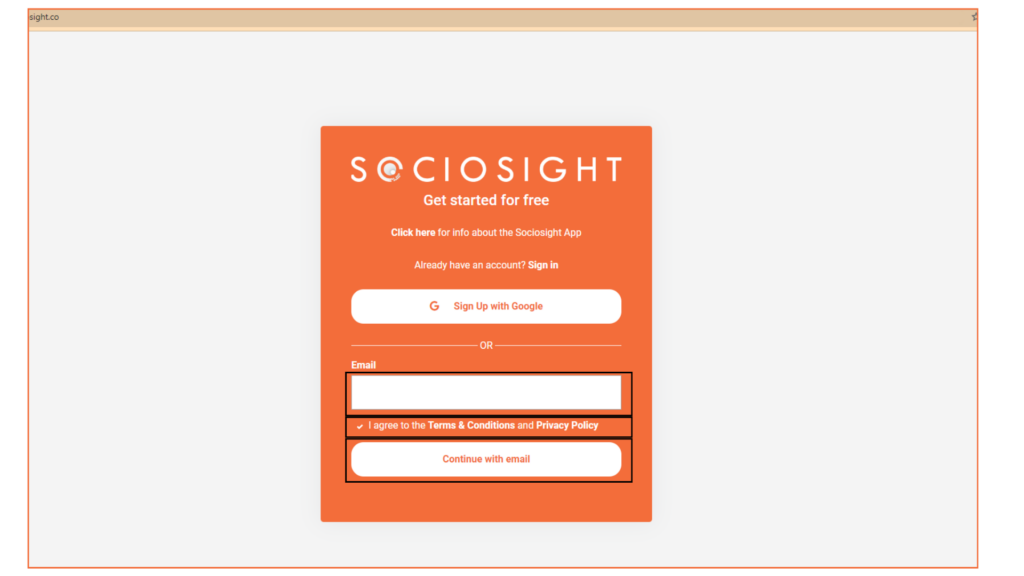
[1] Go to https://app.sociosight.co in your web browser.
[2] Type your preferred email address in the field provided.
[3] Review the “Terms & Conditions” and “Privacy Policy” by clicking the links on the registration page.

[4] Check the box that says “I agree to the Terms & Conditions and Privacy Policy” to proceed.
[5] Move forward by clicking the “Continue with Email” button.
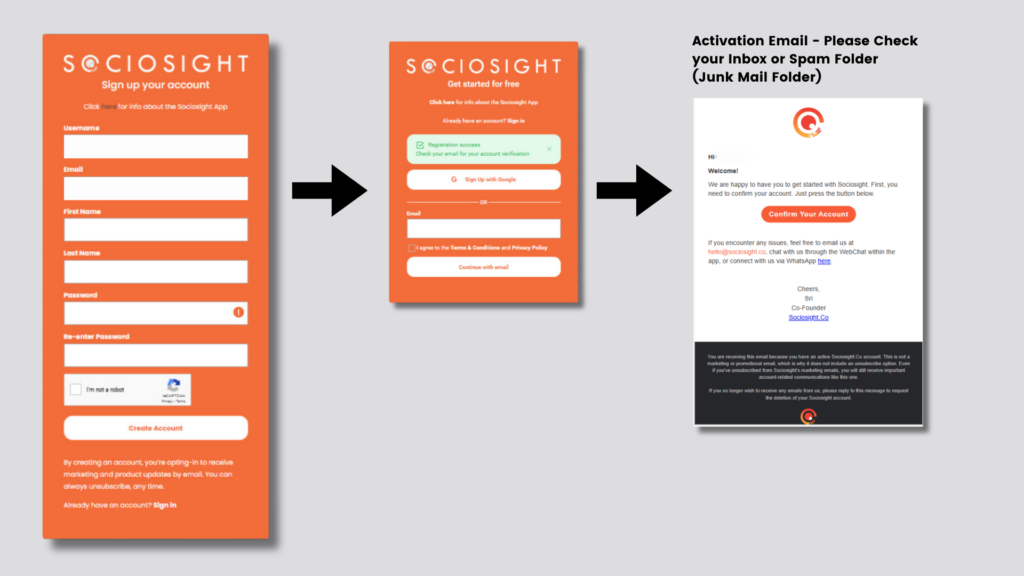
[6] Complete Your Information: Fill out the registration form with the following details:
- First Name: Enter your first name.
- Last Name: Enter your middle and last name.
- Password: Create a strong password with at least 10 characters, including both uppercase and lowercase letters.
[7] Click the “Create Account” button to proceed. Please note that by creating an account, you’ll receive marketing and product updates via email. You can unsubscribe from marketing emails at any time, but you’ll still receive important operational emails.
[8] After creating your account, check your inbox for an activation email from Sociosight. If it’s not there, check your Spam folder.
[9] In the email, click the “Confirm Your Account” button to activate your Sociosight account.
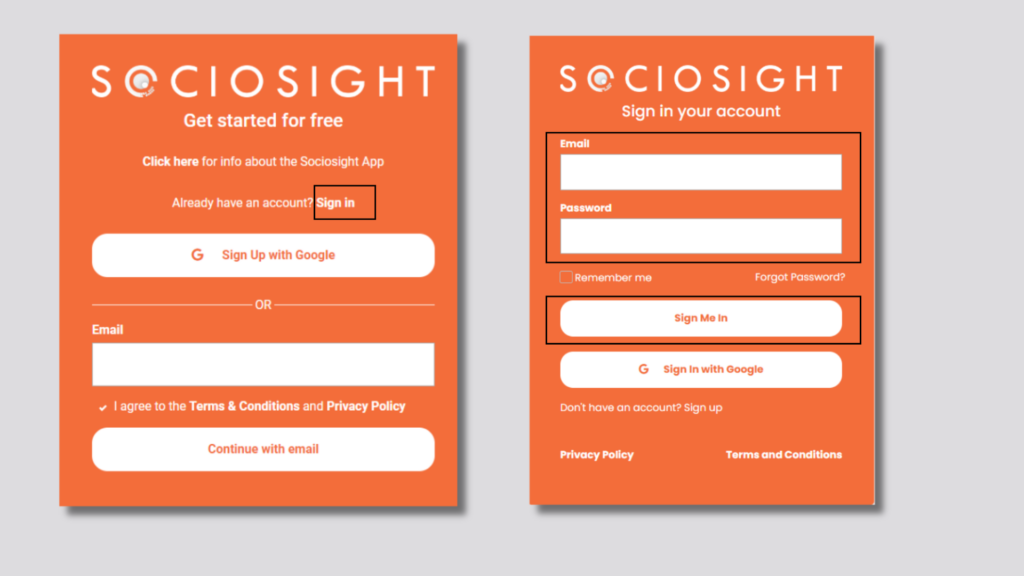
[10] Once confirmed, head back to https://app.sociosight.co to log in, by clicking “Sign in”.
[11] Enter your registered email and password, then click “Sign Me In”.
[12] Once logged in, you’ll need to bind or connect your social media profiles to Sociosight. Follow the tutorial here for a step-by-step guide.
[13] Finally, check your inbox for a welcome email. This message will contain helpful tips and a guide on how to get started using the Sociosight App.
Forgot Password #
What to Do If You Forgot Your Password:
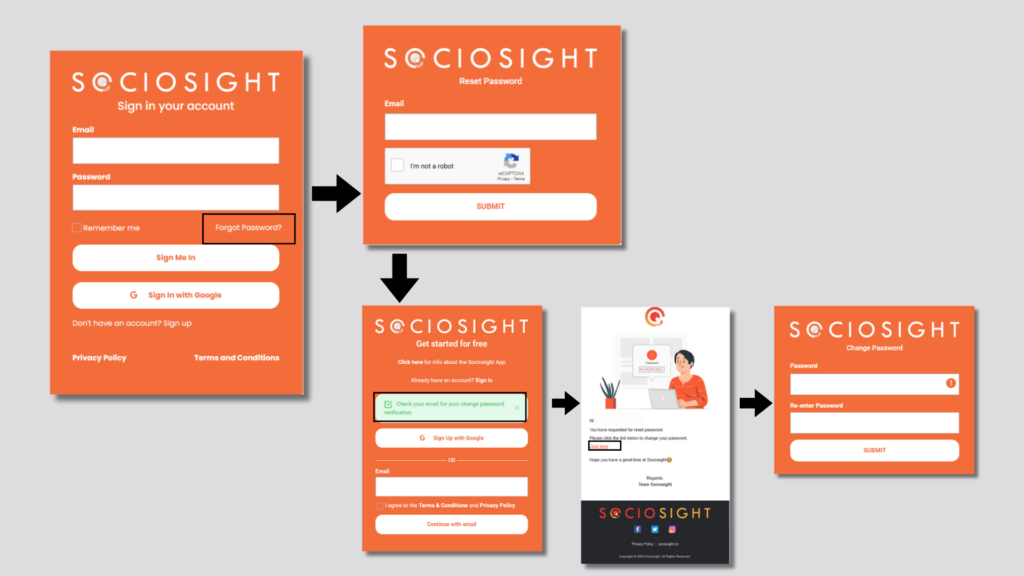
[1] On the sign-in page, click “Forgot Password.”
[2] Enter the email address associated with your Sociosight account.
[3] Check the box to confirm “I’m not a robot.”
[4] Click the Submit button.
[5] A message will appear instructing you to check your email inbox.
[6] In the email from Sociosight, click on the “Reset Password” link.
[7] You will be redirected to a page where you can create a new password. Enter and confirm your new password, then click Submit.
[8] Return to the sign-in page and use your new password to log in to the Sociosight App.
Contact us if you still need further assistance
If you still need further assistance using the Sociosight app, kindly contact us through the Web Chat or schedule a demo here.


